Reserved App - Conversational AI Case study
Project Description: To work closely with a team of developers and create a conversational AI aspect to the Reserve App, which would allow users to book available conference rooms via a Zero UI.
Below I have some of the slides from the original presentation that I will use as a guide to illustrate some of the key points of this project.
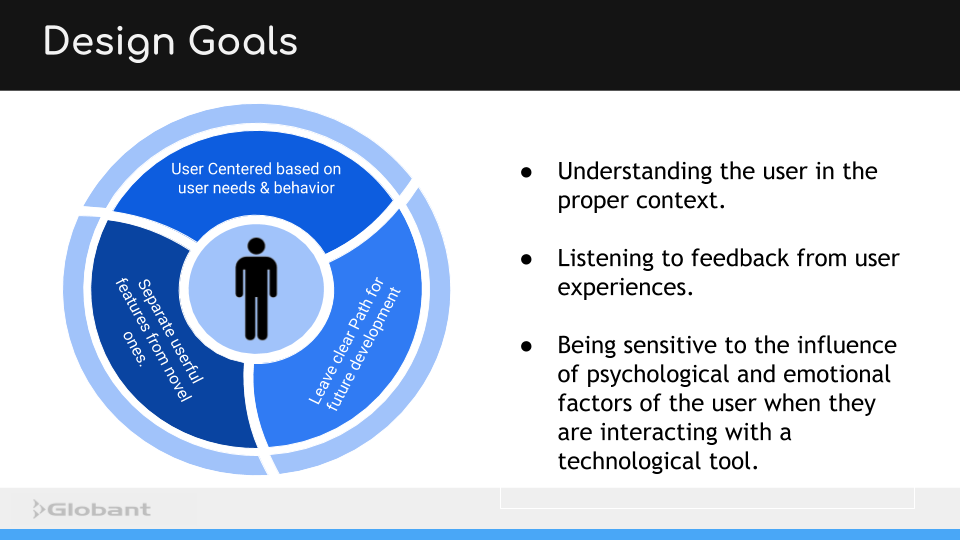
One of the initial challenges was to make sure that the design project was user-centered. With any new or emerging technology, it is easy to get excited about all the various capabilities and features any new project could offer. This sometimes need to novel creations that do not actually solve any real problems for the users. To avoid that, our first steps were begin to gather feed-back and create a better idea of just what the use-case would be for this project.
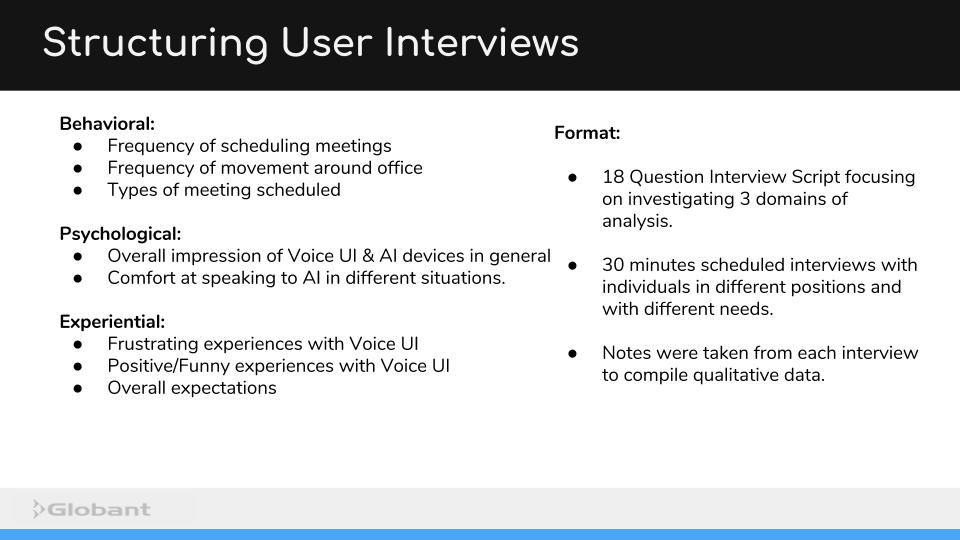
User interviews were a great way to gather some initial information not only what problems users might experience in terms of scheduling a conference room, but also users previous experiences with Zero UI and Conversational AI devices such as Alexa, Siri, and Google Home.
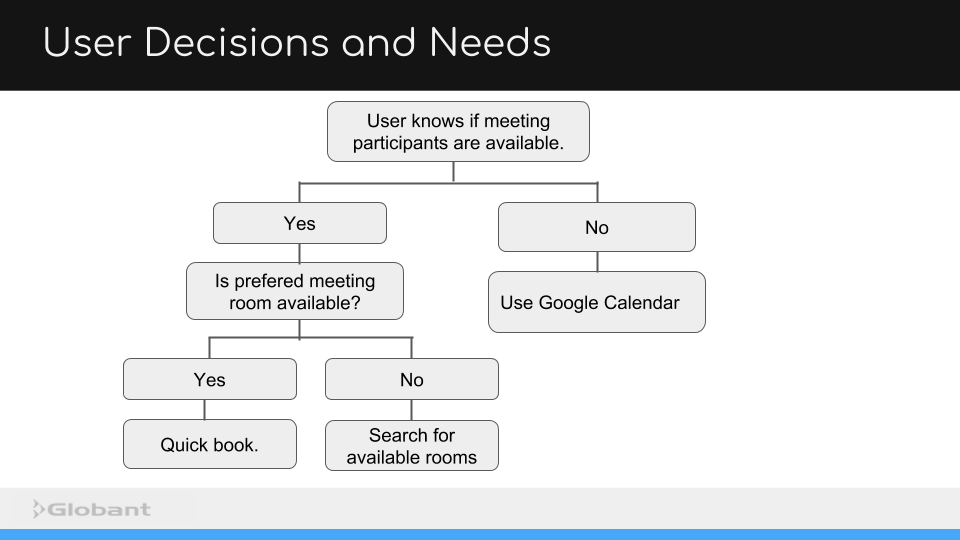
During the interview stage was an interesting pattern uncovered among the interviewees that showed a fairly common decision making process. There seemed to be some pretty predictable decision points at which a user might decide to use an alternative method booking a conference room, (such as the app we were developing) or use Google Calendar.
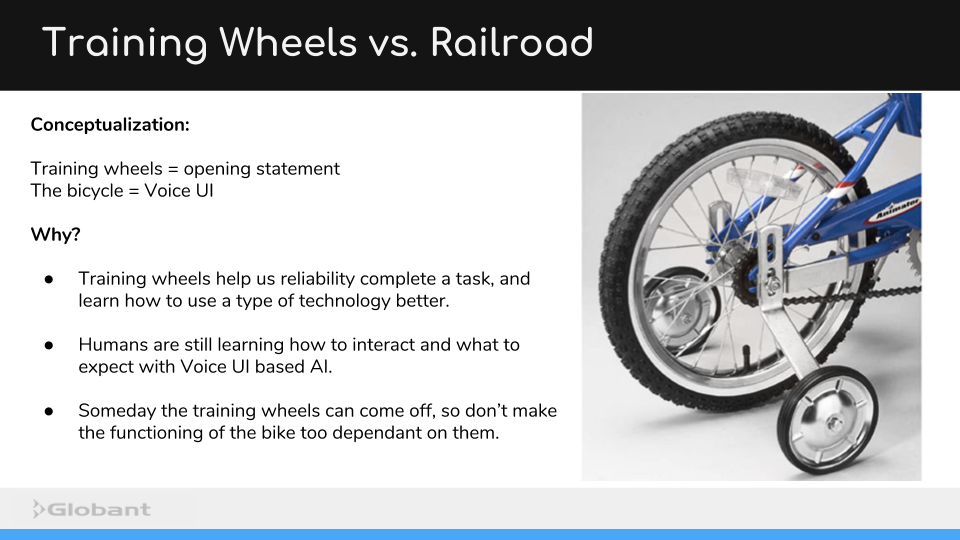
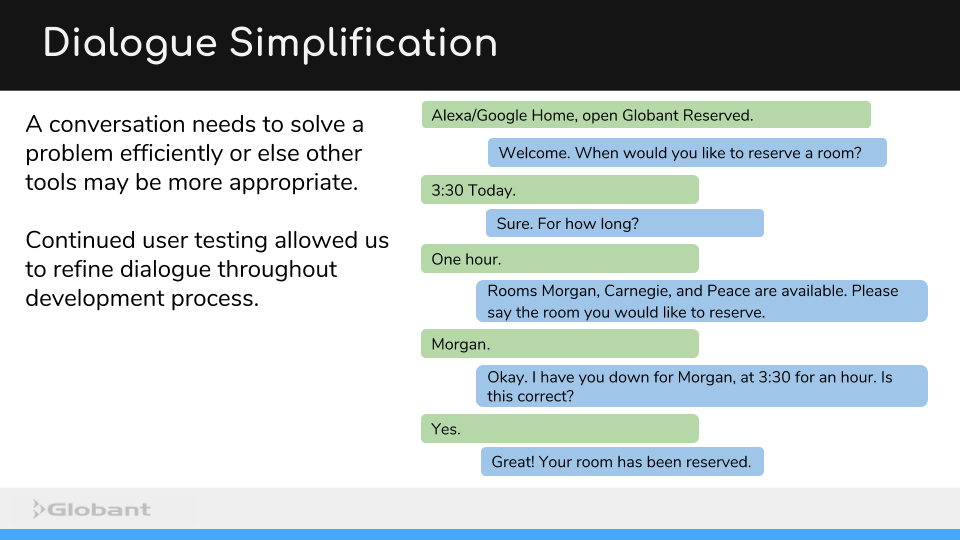
How a conversation begins is an important aspect of the Zero UI design process. In this case, because were a little limited by needing to have a specific phrase to open the App. To let the user know that the app has opened, it needs to respond in some way. This response is the first point of contact that can begin to shape users' expectations for whatever comes next.
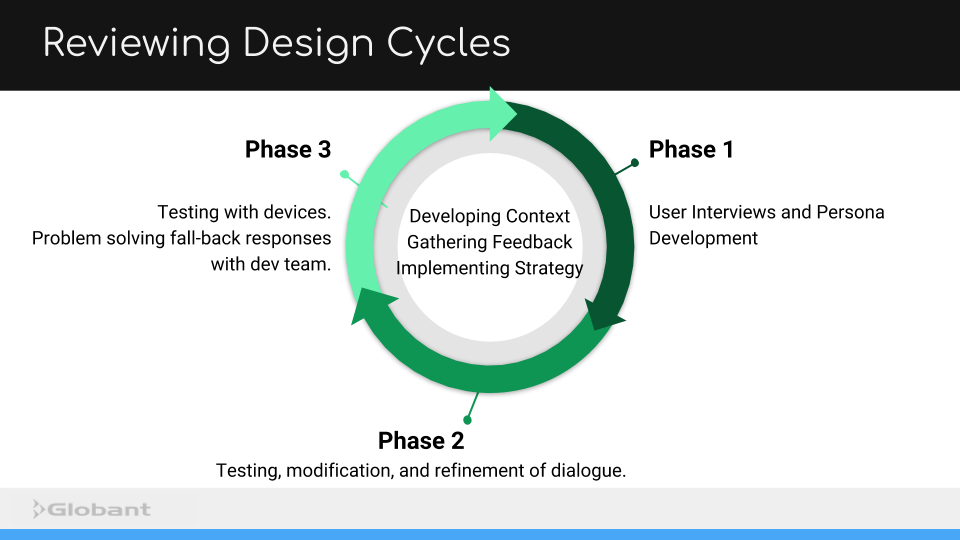
To solve this problem, we did user testing with multiple beginning statements and examined both how each statement influenced the following dialogue. Through a process of iterative user testing, we were able to streamline the dialogue and develop a path that guided the user towards their end goal.
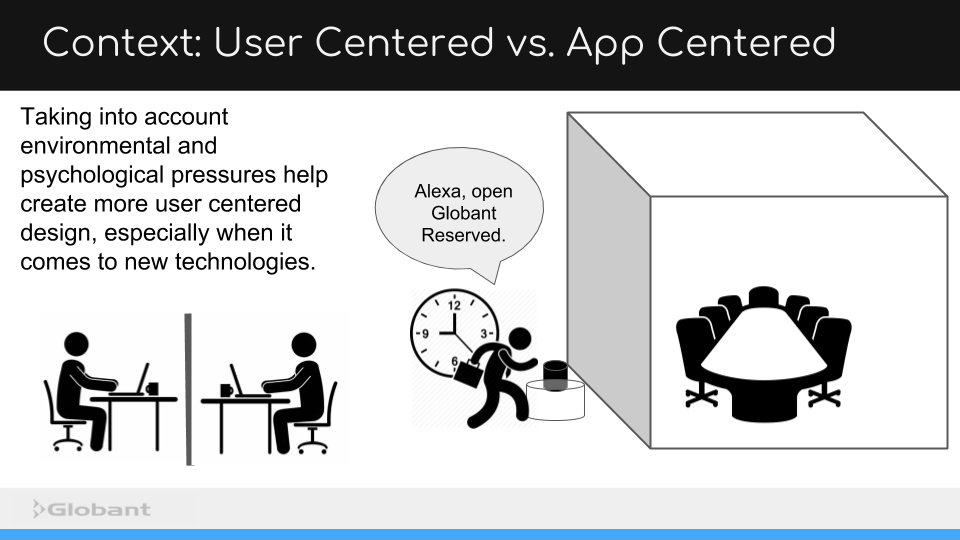
One of my favorite insights from a UX perspective, was the evolution of seeing more and more of the environment and context the user would be in when potentially using our app. In brief, the picture of a user with an Alexa device in an empty room evolved into a user, who had a whole story behind them!
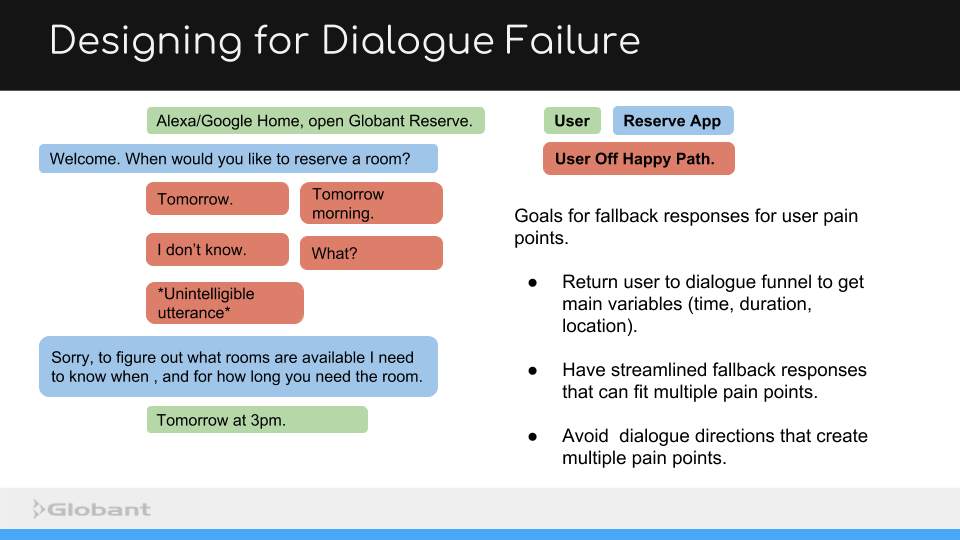
Another important process we had to account for during testing was to account for many of the ways users could encounter problems with the dialogue or get confused. Early testing allowed use to anticipate a lot of these pain points and let the developers account for them before they became part of the code.
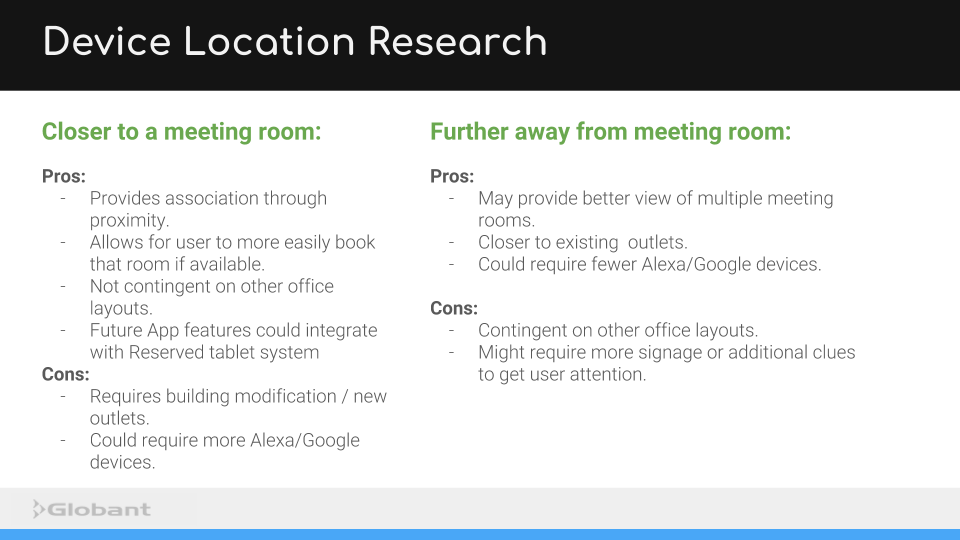
As mentioned before, the environment in which a user interacts with a Zero UI is important. We drew up a list of pros and cons for placing the a device with our app in different areas.
During the life cycle of the project, the team maintained a high level of communication that continued to build an understand of the app we were developing and the context in which it would be used. Even as we continued to test and iterate, moving the project along in a linear fashion, we made sure to always to take a step back to continue to gather context and foster understanding of potential users.